How to Track Wedding RSVPs (2027)
By zainzari • Published October 23, 2026 • Updated October 23, 2026
 📌 Save
Track wedding RSVPs with one master system: number your reply cards against the guest list, use a single spreadsheet with columns for reply status, meal choice, plus-one name and needs, and log every response the day it arrives — paper, text or phone. Fifteen minutes a week keeps it current, and when the deadline passes, the same tracker produces your seating plan, caterer counts and place cards.
RSVP tracking sounds like admin and behaves like magic: done daily, it is nearly effortless and it quietly generates your headcount, seating plan, meal counts and thank-you list. Done in a panic at the deadline, it is the single most miserable weekend in wedding planning.
These 25 steps build the whole system, from the pencil number on the back of the reply card to the archived list you will use for anniversaries. Set it up before the invitations mail — retrofitting a tracker mid-reply-season is the mistake this guide exists to prevent.
At a Glance: The Step, What It Captures & When It Happens
| # | Tracking Step | Captures | When |
|---|---|---|---|
| 1 | Choose Your Tracking System Before Invitations Mail | The whole system | Before invitations mail |
| 2 | Number Your Reply Cards Discreetly | Nameless replies solved | Invitation assembly |
| 3 | Build the Master Spreadsheet Columns | All reply data | Setup day |
| 4 | Record the Invitation as Sent | Posting record | Mailing day |
| 5 | Log Replies the Day They Arrive | Live count | Daily, reply season |
| 6 | Track Meal Choices in the Same Row | Meal data | With each reply |
| 7 | Record Plus-One Names, Not Just Numbers | Plus-one identity | With each reply |
| 8 | Flag Allergies and Accessibility Needs Immediately | Guest safety + comfort | With each reply |
| 9 | Set a Weekly RSVP Check-In Rhythm | Running totals | Weekly |
| 10 | Watch the Response Curve and Spot Trouble Early | Forecast accuracy | Weekly |
| 11 | Send the First Friendly Reminder Before the Deadline | Straggler reduction | Deadline minus 7 days |
| 12 | Use a Simple Script for Chasing Missing Replies | Missing replies resolved | Deadline + 3–7 days |
| 13 | Give Parents a Deadline for Their Guests Too | Family replies complete | Before your deadline |
| 14 | Log Verbal, Text and Phone RSVPs Exactly Like Paper Ones | No lost replies | Ongoing |
| 15 | Track Children and Highchairs as Their Own Line | Kids’ logistics | With each reply |
| 16 | Keep a Backup Copy in the Cloud, Always Current | Data safety | From day one |
| 17 | Mark Regrets Kindly and Close Their Row | Clean outstanding list | With each reply |
| 18 | Turn the Tracker Into the Seating Plan Source | Seating accuracy | Final month |
| 19 | Export Meal Counts for the Caterer | Catering numbers | At the lock |
| 20 | Double-Check Name Spellings for Place Cards | Courtesy + accuracy | Final weeks |
| 21 | Do a Final Audit Against the Invitation List | Count integrity | Before the lock |
| 22 | Share the Final List With Your Coordinator | Day-of confidence | Final week |
| 23 | Keep the Tracker Handy on the Wedding Day | Day-of answers | Wedding day |
| 24 | Use the Tracker for Thank-You Notes Afterward | Gratitude organised | Week after |
| 25 | Archive the List for Future Celebrations | Future value | After the wedding |
One tracker, one version, both partners able to update it from their phones — every other detail of RSVP tracking is commentary on that sentence.
Choose Your Tracking System Before Invitations Mail
 📌 Save
Decide the tool while the invitations are still being printed: a spreadsheet, a wedding-website dashboard, a paper log in your planning binder — any is fine, but it must be one system, set up in advance, with columns ready. Replies begin arriving within days of posting, and a system built after they start will always be catching up.
Number Your Reply Cards Discreetly
 📌 Save
The oldest trick in wedding planning, because it works every single time: before assembling invitations, write each household’s guest-list number in light pencil on the back of its reply card. When — not if — a card returns with no name, the number tells you exactly who it belongs to. Every wedding receives at least one nameless acceptance; yours will take ten seconds to solve.
Build the Master Spreadsheet Columns
 📌 Save
Set up columns for: household name, guests invited, reply status, number attending, meal choice per guest, plus-one name, needs and notes, and thank-you sent. That is the whole machine. Freeze the header row, add a filter, and resist adding clever extra columns mid-season — consistency across four months beats sophistication every time.
Record the Invitation as Sent
 📌 Save
When invitations go out, mark the sent date against every household — including any sent in a second wave. This one column settles later mysteries: the guest who ‘never received anything’ can be checked against the posting date, and your chase timing is calculated from real dispatch, not vague memory of ‘about six weeks ago’.
Log Replies the Day They Arrive
 📌 Save
Open the post, open the tracker, enter the reply, done — two minutes per card, the day it lands. This rhythm means the tracker is never wrong by more than a day, the running count is always real, and the deadline produces a summary instead of an excavation. Couples who batch replies ‘for the weekend’ are describing how trackers go to die.
Track Meal Choices in the Same Row
 📌 Save
Capture each attending guest’s meal choice as part of the same entry — not a tally, a per-guest record. The seating plan, the caterer’s per-table breakdown and the place-card meal markers all generate from this data. Reconstructing meal choices later from memory and menu maths is the classic avoidable wedding-weekend meltdown.
Record Plus-One Names, Not Just Numbers
 📌 Save
When a guest replies with a plus-one, chase the actual name — kindly, immediately — and record it. Place cards, escort displays and introductions all need names, and ‘Sarah’s guest’ is not one. A short text solves it: ‘Wonderful news — what is your guest’s full name, for their place card?’ Nobody has ever been offended by being asked their partner’s name for a place card.
Flag Allergies and Accessibility Needs Immediately
 📌 Save
Allergies, mobility needs, highchairs, hearing or sight considerations — the moment a reply mentions any of them, flag the row visibly in the tracker. This is the data your caterer and venue genuinely need, and it is morally different from ordinary admin: it is how a guest eats safely and sits comfortably. Flag at entry, because nobody re-reads 140 rows hunting for the one peanut note.
Set a Weekly RSVP Check-In Rhythm
 📌 Save
Beyond daily logging, hold a fifteen-minute weekly check-in with your partner: running totals, replies slowing or spiking, capacity watch, any replies needing a response from you. Small and regular beats long and occasional, and the rhythm means the deadline never arrives as a surprise — you have watched the number approach its final shape for weeks.
Watch the Response Curve and Spot Trouble Early
 📌 Save
Replies follow a pattern: a rush in week one, a lull, then a deadline surge. Watch yours. A lull that stretches too long can mean invitations went astray; acceptances tracking far above your expected rate means capacity conversations should happen now, not at the lock. The curve is your early-warning system — glance at it weekly and act while acting is cheap.
Send the First Friendly Reminder Before the Deadline
 📌 Save
A week before the deadline, send one warm group nudge — a message in the family chat, a website banner, a line to group chats of friends: ‘So excited — quick reminder that replies are due Friday; the caterer is already asking us for numbers!’ Framed as excitement rather than enforcement, it typically pulls in a third of the stragglers before chasing even begins.
Use a Simple Script for Chasing Missing Replies
 📌 Save
After the deadline, chase individually with one short script: ‘Hi! We’re giving final numbers to the caterer this week and would love to include you — will you be able to make it? Totally fine either way, we just need to know by Wednesday.’ Split the chasing by relationship — your people, your partner’s people, agreed family names by parents. Then stop: two unanswered chases means a no, recorded kindly.
Give Parents a Deadline for Their Guests Too
 📌 Save
If parents contributed guests, their replies drift longest — old friends reply to the parents, not to your card. Give parents a simple printed list of their guests and your chase deadline, and ask them to confirm each reply to you in one message. The alternative — three informal channels reporting fragments — is how guests get counted twice or not at all.
Log Verbal, Text and Phone RSVPs Exactly Like Paper Ones
 📌 Save
The aunt who phones, the friend who texts, the cousin who tells your mum at the shops: every off-card reply goes into the tracker the same day, with a source note — ‘verbal via Mum, 12 May’. Informal replies feel less binding, which is exactly why they get forgotten; the note also protects you if the same guest later replies differently on paper.
Track Children and Highchairs as Their Own Line
 📌 Save
Record children distinctly: names, ages, kids’ meal or adult meal, highchair needed. Caterers price kids differently, venues count them for capacity by their own rules, and the seating plan treats a highchair as furniture. A separate kids’ view of the tracker — one filter away — answers every one of those questions in a glance.
Keep a Backup Copy in the Cloud, Always Current
 📌 Save
The tracker lives in the cloud or is backed up there automatically — never as a single file on a single laptop in a single bag. Share editing access with your partner and viewing access with your coordinator. Version chaos is the enemy: one master, synced, beats three ‘final’ spreadsheets in three inboxes every day of the week.
Mark Regrets Kindly and Close Their Row
 📌 Save
When a reply is a no, log it the same day, send a short kind note — ‘You will be missed, thank you for letting us know’ — and close the row. Closed rows matter: they are what make the outstanding count honest. And the regret list becomes a treasure later, for the friends you send photos and a slice of cake news to after the day.
Turn the Tracker Into the Seating Plan Source
 📌 Save
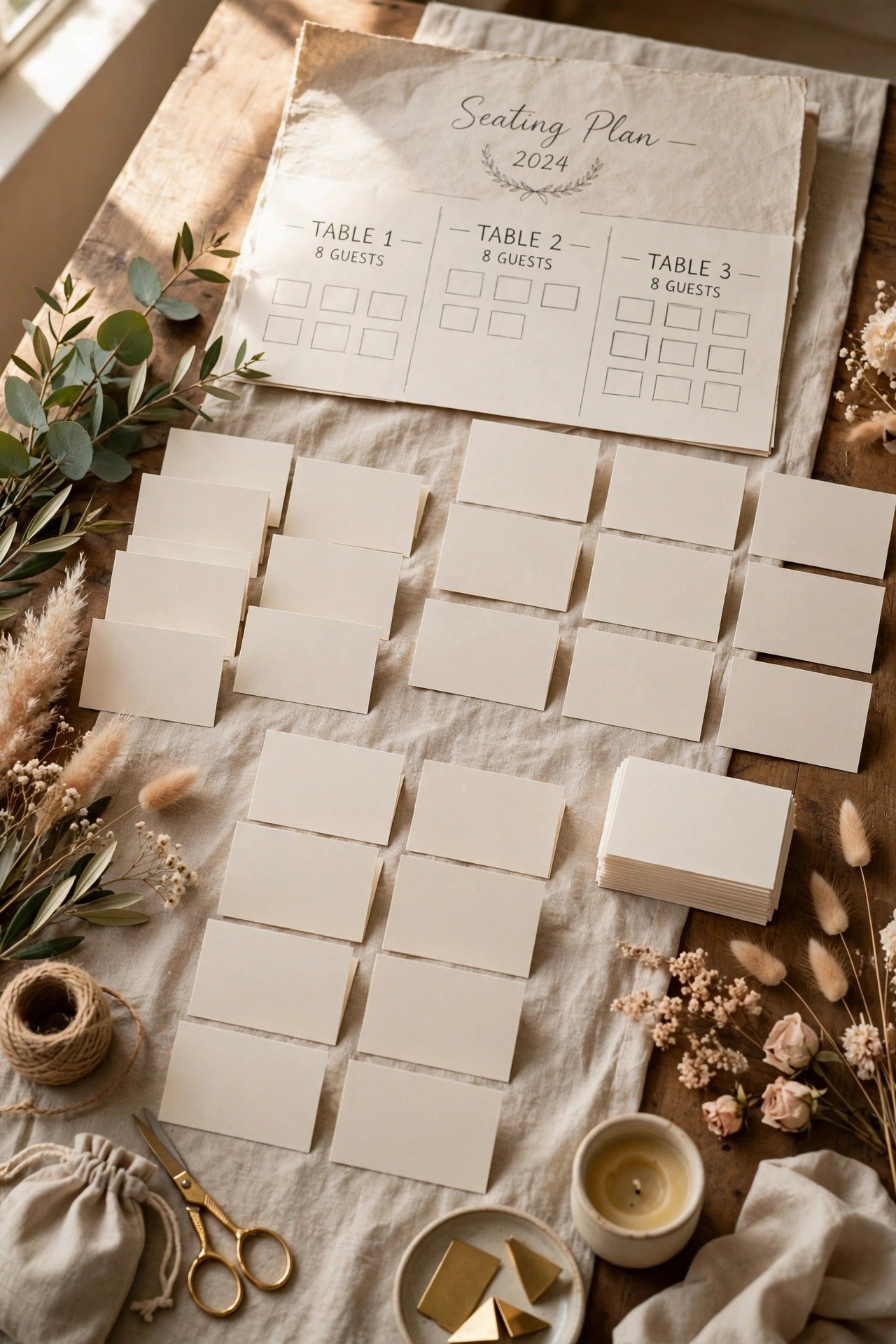
When seating time comes, filter the tracker to attending and work only from that view. Every name on a table exists in the tracker with their meal and needs attached, so nothing is invented and nobody is forgotten — the classic seating disaster is a name typed fresh, from memory, into a chart. Build the plan from the data and the data becomes the plan.
Export Meal Counts for the Caterer
 📌 Save
Generate the caterer’s numbers directly from the tracker: totals per meal choice, per-table breakdowns, kids’ meals, vendor meals noted separately, and every allergy flagged by name and table. Export, then verify against the attending count by hand once — exports inherit any logging slip, and this is the number money is charged on.
Double-Check Name Spellings for Place Cards
 📌 Save
Before place cards are written, check every name against the reply card or the guest’s own usage — not your assumption. Mac versus Mc, hyphenated surnames, preferred shortened names: the tracker should already hold the ‘name for place card’ exactly as the guest writes it. A correctly spelled card is a tiny, noticed courtesy; a wrong one is a tiny, remembered slight.
Do a Final Audit Against the Invitation List
 📌 Save
Before the lock, run the audit: sort the tracker by invitation, and confirm every invited household ends in exactly one state — attending, regret, or chased-and-closed. Anyone still floating is either chased one final time today or recorded as not attending with the door policy you agreed. The audit takes an hour and is the difference between a final number and a hopeful one.
Share the Final List With Your Coordinator
 📌 Save
Hand your coordinator the final attending list — names, tables, meals, needs — as a clean document, and mark it final. On the day, this list answers escort questions, seating hiccups and the occasional guest who arrives having never replied at all. If a name is not on it, the coordinator knows the agreed policy because you discussed it at the handover, not at the door.
Keep the Tracker Handy on the Wedding Day
 📌 Save
Print the attending summary — or keep it open on the coordinator’s phone — for the day itself. It settles the surprise questions that genuinely occur: a guest brings the plus-one who had declined, two guests swap seats, a name is needed for an announcement. Ninety percent of day-of guest puzzles are answered by the tracker in under a minute.
Use the Tracker for Thank-You Notes Afterward
 📌 Save
Add a gift column after the wedding and log presents as you open them; the tracker — with every attendee’s correct name spelling and address — becomes your thank-you engine. Notes written from the tracker within a fortnight are accurate and fast. It is the most pleasant use the data will ever be put to, and the reason to keep names spelled right all along.
Archive the List for Future Celebrations
 📌 Save
When the thank-yous are sent, archive the tracker rather than deleting it: export a clean copy into your planning binder and cloud folder. It is now the most accurate family-and-friends address book you own — anniversary parties, holiday cards and future celebrations will all quietly thank this spreadsheet. Data built with this much care deserves a retirement, not a deletion.
How to Track Wedding RSVPs FAQs
When should the RSVP deadline be set?+
About three weeks before the wedding works for most couples: late enough that guests can genuinely know their plans, early enough for you to chase stragglers, build the seating plan and meet the caterer’s final-numbers deadline — usually 7 to 14 days out. Print the date on the reply card and repeat it on your wedding website.
What is the easiest way to track wedding RSVPs?+
One master spreadsheet, updated the day each reply arrives. Columns for household, reply status, number attending, meal per guest, plus-one name, needs, and thank-you sent cover everything. Wedding websites and apps can collect replies, but keep your own sheet as the single source of truth — it also becomes your seating plan and caterer counts.
How do we follow up with guests who have not replied?+
Send a group nudge a week before the deadline, then one personal, friendly message a few days after it: name the reason (caterer numbers), give a specific reply-by day, and make ‘no’ easy to say. Chase your own people, let your partner chase theirs, and agree that two unanswered attempts close the row as a polite no.
Should we accept RSVPs by text or phone?+
Yes — a reply is a reply, whatever the channel. The rule is not which channel guests use but what you do with it: log it in the tracker the same day with a source note (‘verbal via phone, 3 June’). Informal replies only become a problem when they live in someone’s memory instead of the system.
What percentage of guests typically reply late or not at all?+
It is normal for roughly 10 to 20 percent of households to need at least one chase, and a small handful — often 2 to 5 percent — never formally reply at all. This is exactly why numbering reply cards, running the weekly check-in and doing the final audit exist: the system is designed assuming human nature, and it works.
Key Takeaways
- Set up one master tracker before invitations mail, and number every reply card in pencil against the guest list.
- Log every reply — paper, text or verbal — the day it arrives, with meal, plus-one name and needs in the same row.
- Fifteen minutes a week keeps the count real: running totals, response curve, capacity watch.
- Chase kindly and once with a script, close rows honestly, then audit the whole list before the lock.
- The same tracker generates seating, caterer numbers, place cards, day-of answers and thank-you notes.
Final Thoughts
RSVP tracking rewards the lightest of touches applied consistently: two minutes a day, fifteen minutes a week, one honest audit at the end. Build the system before the invitations leave, and the reply season becomes what it should be — a slow, happy accumulation of yeses from your favourite people, arriving in the post. The final number takes care of itself.